Crucible Party Stash — Shared Party Inventory for Foundry VTT




Crucible Party Stash is a free, open-source shared party inventory module for the Crucible game system in Foundry Virtual Tabletop (Foundry VTT). It adds a dedicated Stash tab to the Crucible Group Actor sheet so your players can pool items, distribute loot, and manage shared party resources — all without leaving the group sheet.
If you’ve been searching for a way to handle party loot, shared treasure, or a communal inventory in Crucible on Foundry VTT, this module gives your table a single shared stash that every player can deposit into and withdraw from.
Why use a shared party stash?
Not every item your party owns belongs on an individual character sheet. Crucible Party Stash gives you a shared, off-sheet pool for the gear that the group collectively hauls around — think a pack animal, a cart, or a big sack of out-of-combat supplies.
Use it for things like:
- Food, water, and camping supplies
- Rope, tools, and other utility gear that rarely comes up mid-combat
- Loot you’re carrying to sell back in town
- A reserve of potions and consumables that don’t fit on a character’s belt
The stash keeps these items organized in one place and out of the way, while still letting any player deposit or withdraw with a drag-and-drop or the give button — so the gear is there when you actually need it, without cluttering up everyone’s inventory.
Features
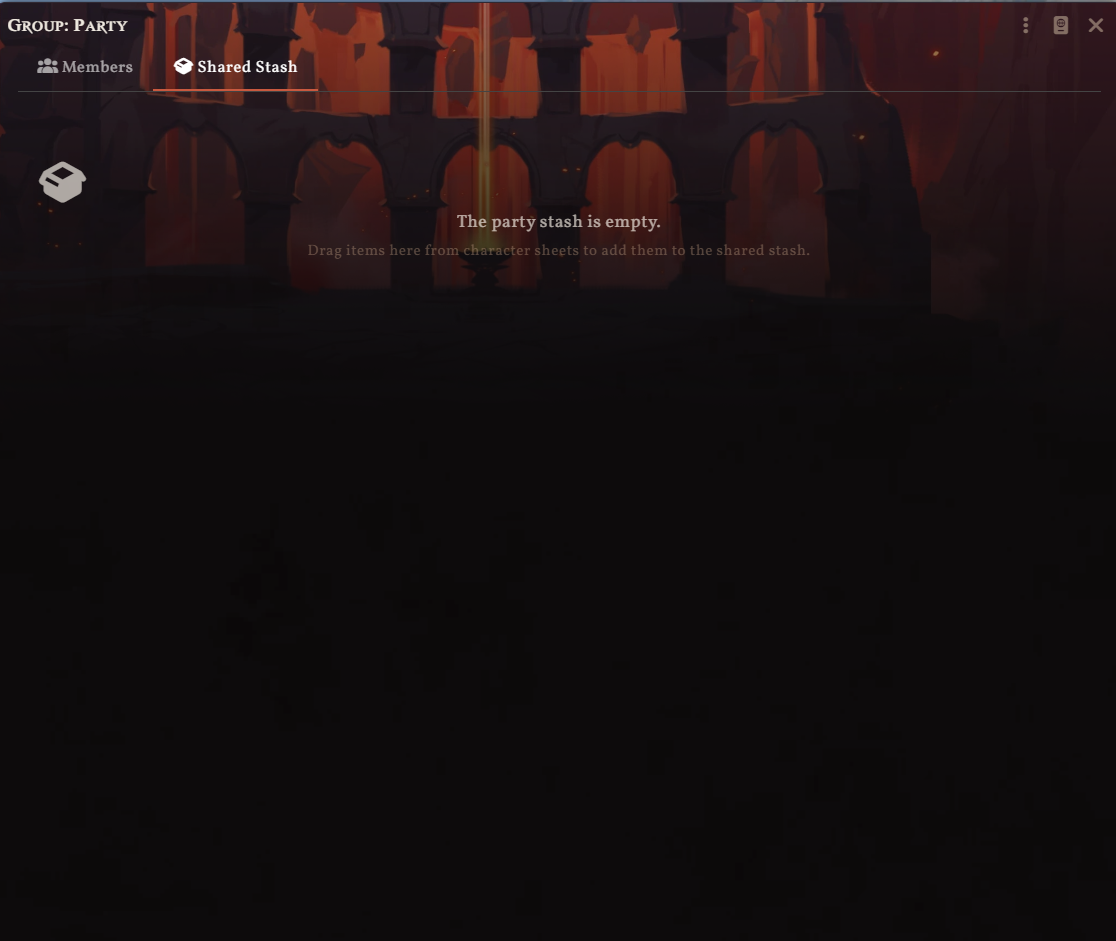
- Shared Stash Tab — A new tab on the Crucible Group Actor sheet for pooling party items, alongside the sheet’s own Members and Milestones tabs.
- Resizable Group Sheet — The group sheet can be dragged larger from the bottom-right corner, so the shared stash and members list can use a wide display.
- Drag & Drop Loot Management — Drag items from any character sheet into the shared stash, or drag them back out to a character.
- Split on Deposit — When stashing a stacked item (e.g. 5 Healing Potions), choose how many to deposit. The source keeps the remainder.
- Split on Withdrawal — When giving or dragging a stashed stack to a character, choose how many to take. The remainder stays in the stash.
- Auto-Merge Stacks — Stashing an item that matches an existing entry in the same pile (same type, affixes, quality) increments the existing quantity instead of creating a duplicate. If the item exists in both piles, a prompt asks where the deposit goes; otherwise it merges into the single pile that holds it.
- Give to Character — Click the give button to hand an item directly to any party member via a dropdown picker.
- Capacity Limit — Set a maximum number of stash slots (0 = unlimited). Merged entries reuse existing slots.
- Item Type Grouping — Stash entries are grouped under a heading by item type (Weapon, Armor, Consumable…) rather than repeating the type on every card. Only types that count as inventory produce a heading; anything else is collected into a trailing “Other” group so nothing is hidden.
- Sell Pile — Mark entries as committed to sell; they collect into a Sell Pile group pinned at the end, whose header shows the combined value of everything in it. The tag control on any row moves that entry — or part of a stack, via a quantity prompt — into or out of the pile. Available to any stash user, and the marker lives only in the stash, never following an item onto a character sheet. Only items with a sale value can be marked.
- Sell All & Undo — A GM-only control on the Sell Pile header vends the whole pile at a chosen percentage of value. A slider (bounded by the Maximum Merchant Offer setting) prompts for the merchant’s offer, with a live payout preview; confirming moves the coin into the party currency pool and removes the sold items. A one-step Undo restores the last sale only — the items return to the Sell Pile and the coin is clawed back.
- Item Value & Quantity — Each row shows what the item is worth in Crucible’s denomination format, and stack counts sit in their own column beside the icon. A stack shows its total with the unit breakdown, e.g.
1PP 2GP (3 × 4GP). Hovering an item shows the same value in the item card tooltip. - Sorted Within Groups — Items are ordered by name (A→Z), then by value (highest first), so identical items sit together and the best of a cluster reads first.
- Party Currency Pool — A shared currency pool on the Stash tab with deposit, take, GM create, and GM split flows. All amounts are entered per denomination (pp/gp/sp/cp).
- Shaped or Shapeless Currency — Configure the pool as a literal pile of coins (denominations tracked separately, GM exchange to make change) or an abstract purse (freely interchangeable, matching how character currency works).
- Role-Based Access — Configure the minimum user role required to see and use the shared inventory. GMs always have access.
- Stash Resync — Stash entries are frozen snapshots of the items placed in them. When Crucible updates an item’s upstream data, live items update but stash snapshots do not. On first load after a system update, each entry is re-resolved against its compendium source, preserving player state (quantity, quality, equipped, broken, invested, and applied enchantments). Hand-made items with no compendium source are left alone. Runs once, automatically.
Installation
Install from Foundry VTT
- Open Foundry VTT and go to Add-on Modules → Install Module.
- Paste the following URL into the Manifest URL field:
https://github.com/Ebonhawk3829/crucible-party-stash/releases/latest/download/module.json - Click Install.
- Enable the module in your world.
Manual Installation
Download module.zip from the latest release, extract it into your Data/modules/ directory, and restart Foundry VTT.
Requirements
| Requirement | Version |
|---|---|
| Foundry VTT | v14+ |
| Crucible | 0.11.2+ |
| Verified with | Foundry VTT 14.370 · Crucible 0.11.3 |
This module only works with the Crucible game system, and requires Crucible 0.11.2 or newer — it registers a template part and tab on CrucibleGroupActorSheet and will not activate for other systems or older Crucible releases.
Settings
Configurable under Settings → Module Settings → Crucible Party Stash. All settings are world-scoped except Debug Logging, which is client-scoped.
| Setting | Scope | Default | Description |
|---|---|---|---|
| Stash Capacity | World | 0 (unlimited) | Maximum number of stash slots. Merged entries reuse existing slots. Set to 0 for no limit. |
| Confirm Transfer | World | Enabled | For single items, show a confirmation dialog when moving to the stash. For stacks, a quantity prompt is always shown regardless of this setting. |
| Minimum Role | World | Player | The minimum user role required to see and interact with the stash tab. |
| Shaped Currency Pool | World | Enabled | ON: the pool is a literal pile of coins — pp/gp/sp/cp are tracked and spent separately, with no automatic conversion. Use the GM Exchange button to make change (e.g. 1pp → 10gp). OFF: the pool is an abstract purse — denominations are freely interchangeable and totals display in the largest possible denominations. Switching this setting reshapes the existing pool immediately. |
| Debug Logging | Client | Disabled | Write detailed stash diagnostics to the browser console (F12). Being client-scoped, it can be toggled live without a reload and won’t affect other users. |
How to use the shared stash
- Open a Group Actor sheet — the module adds a Shared Stash tab alongside the sheet’s Members and Milestones tabs.
- Add items — Drag an item from any Hero or Adversary character sheet onto the Stash tab. For stacked items (qty > 1), a dialog lets you choose how many to stash.
- Retrieve items — Either drag an item from the stash onto a character sheet, or click the give button and pick a party member from the list. For stacked items, a dialog lets you choose how many to take.
- Auto-merge — Stashing an item that matches an existing entry (same affixes, quality, etc.) automatically increments the existing quantity.
- Read the stash — Items are grouped by type and sorted by name then value. Each row shows the item’s value and, for stacks, its count beside the icon. Hover an item for its full card and value.
- Edit quantities — GMs can click the pen control on a stackable entry to set its quantity directly, without depositing and re-withdrawing.
- Remove items — Click the trash icon to delete an item from the stash entirely.
Compatibility
This module targets Crucible’s CrucibleGroupActorSheet and uses Foundry V14 APIs including ApplicationV2, DialogV2, NumberField settings, and Handlebars template rendering under the foundry.applications.handlebars namespace.
It requires Crucible 0.11.2 or newer. From 0.11.2 the group sheet is built from template parts with its own tab group (Members / Milestones); the module registers a stash part and a matching stash tab on that sheet, so the system’s own tab navigation and ApplicationV2#changeTab handle showing and hiding the panel. Earlier Crucible releases do not expose that structure and are not supported. The module also opts the group sheet into ApplicationV2 window resizing (window.resizable), which Crucible leaves disabled by default.
It is designed to be non-destructive — stash data is stored as a flag on the Group Actor (crucible-party-stash.stash) and does not modify any core Crucible data models.
Known Interactions
- Ember — Compatible. The module does not interfere with Ember’s adventure content or Vista engine. Stash data persists independently of adventure imports.